Missing image alt attributes cost accessibility and SEO points
Empty alt attributes are an accessibility and SEO killer, and the cost is measurable. Google Lighthouse flags the error on both of its audits: up to 6 points subtracted from the Accessibility score and 8 points from the SEO score.
The impact on real users is worse than the score. A screen reader completely ignores an image with no alt text, so blind users never know the image was there, which makes the experience disruptive and confusing. It also violates WCAG Success Criterion 1.1.1: Non-text Content, the baseline requirement for accessible non-text content.
That is why we had to act when a migration project resulted in thousands of images without an alt attribute.
A Drupal migration left 12,000 images without proper alt text
A Drupal 9 to Drupal 11 migration for a multilingual sports news project surfaced around 12,000 images with missing or incorrect alt attributes, found via Screaming Frog tool. Some images had no alt attribute at all, while others had alt text in the wrong language, with English alt text appearing on the /es version of the site.
The obvious next step was to look for a pattern. Was the issue tied to a specific content type, such as Articles? Was the wrong-language text caused by untranslated Media content? Answering these questions turned out to be surprisingly hard: Drupal provides no default mechanism, no view and no report, to identify images with problematic alt attributes.
The root cause was at the migration source. On the Drupal 9 site, some images never had an alt attribute to begin with, and the migration carried that gap straight into the new architecture.
Here is where Image Alt Fallback kicks in.
Image Alt Fallback fills missing alt text automatically, no development required
Image Alt Fallback targets only images that have no alt attribute text defined. Existing alt text is never touched.
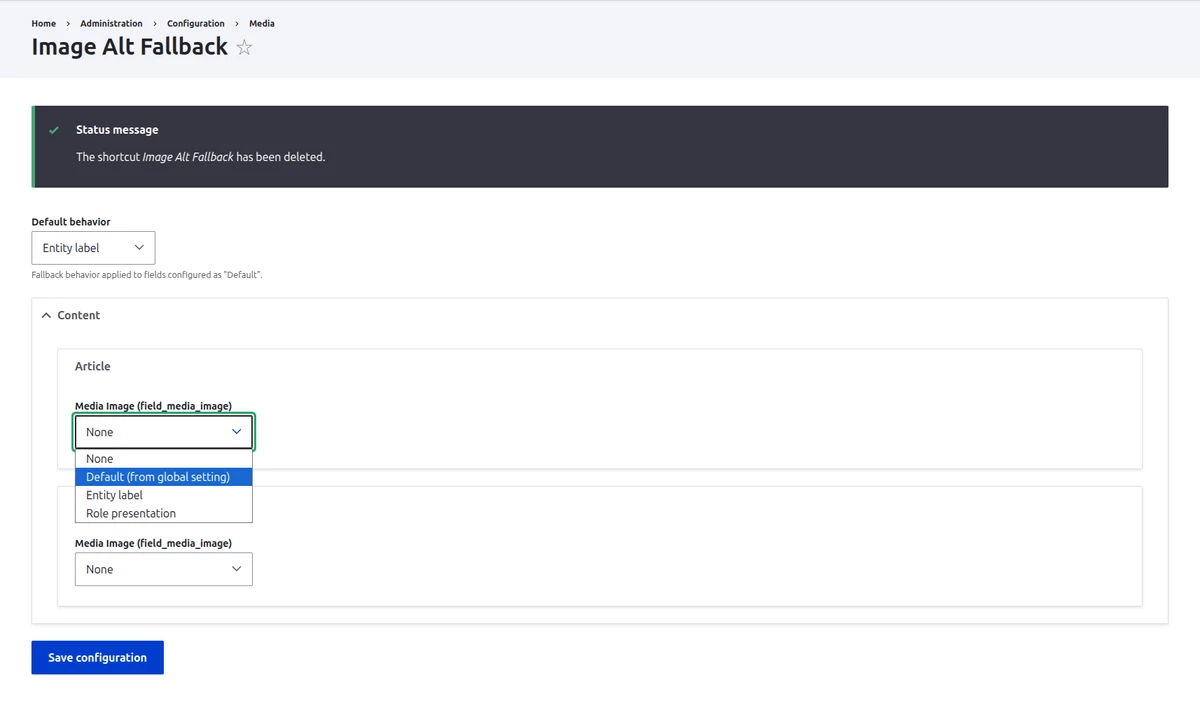
The starting point is a configurable Global default behaviour: set the fallback alt attribute to the parent entity's label, or mark the image as decorative. Per-field configuration sits on top of that default. For example, field_image on the Article content type can use the parent entity label (in other words, the title from that Article), field_gallery can follow the global default, and the field_image on the Fruits & Vegetables taxonomy vocabulary can be marked decorative. The module currently detects two entity types: Nodes and Taxonomies.
Technically, the module acts in a post_render callback. There are no database changes and no Twig template changes, just install and configure.
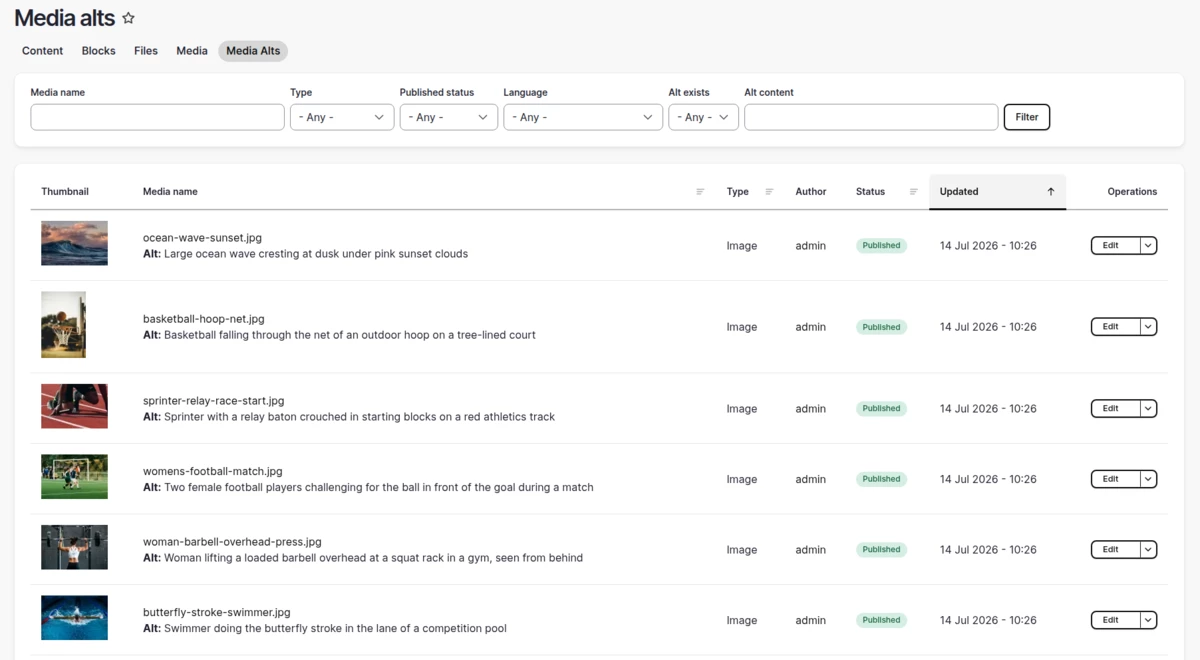
The module also ships with a helper view that helps us identify and fix the issue. It lists all media items with filters by alt status (empty or not empty) and by type, so problematic images surface without technical help.
When to use Image Alt Fallback
The ideal long-term solution is to store meaningful alt text directly on the File or Media entity itself. Recent Drupal versions make the alt attribute required by default, but older Drupal versions or other source systems may not enforce this, so migrations can carry the legacy gap into the new site.
Gaps also appear outside migrations. The alt field may be configured as optional, sometimes through a configuration mistake, sometimes as an explicit project requirement, so content gets published without alt text over time. In other cases the image is purely decorative, and the correct treatment is to mark it as decorative rather than to force meaningful alt text onto it.
The module should be treated as a safety net, not a permanent solution. It covers these gaps automatically while the content itself is fixed at the source.
Conclusion
Missing alt attributes carry a real, measurable cost in Accessibility and SEO audits, and they show up at scale in real projects, as the 12,000-image migration case shows. Image Alt Fallback closes that gap automatically, with configurable rules per content type and field, and no development work needed to install or configure it. It earns its place as a safety net for legacy gaps and time constraints, while meaningful alt text stored at the source remains the goal.
Visit the module page for installation and configuration details: https://www.drupal.org/project/image_alt_fallback